eviden-logo

Evidian > Products > SafeKit: All-in-One SANless High Availability & Application Clustering Software > Siemens SIMATIC WinCC cluster without shared storage on a SAN

Siemens SIMATIC WinCC cluster without shared storage on a SAN

[SafeKit] Synchronous real-time replication, high availability and migration of virtual machines between two servers

How the Evidian SafeKit software simply implements a Siemens SIMATIC WinCC high availability cluster without shared storage on a SAN?

The solution for Siemens SIMATIC WinCC

Evidian SafeKit brings high availability to Siemens SIMATIC WinCC between two servers of any brand.

This article explains how to implement quickly a Siemens SIMATIC WinCC cluster without shared storage on a SAN and without specific skills.

The principle of the solution is to put Siemens SIMATIC WinCC in a virtual machine under Hyper-V. SafeKit implements real-time replication and automatic failover of the virtual machine.

Note that Hyper-V is the free hypervisor included in all Windows versions (even Windows for PC).

A solution open to several applications

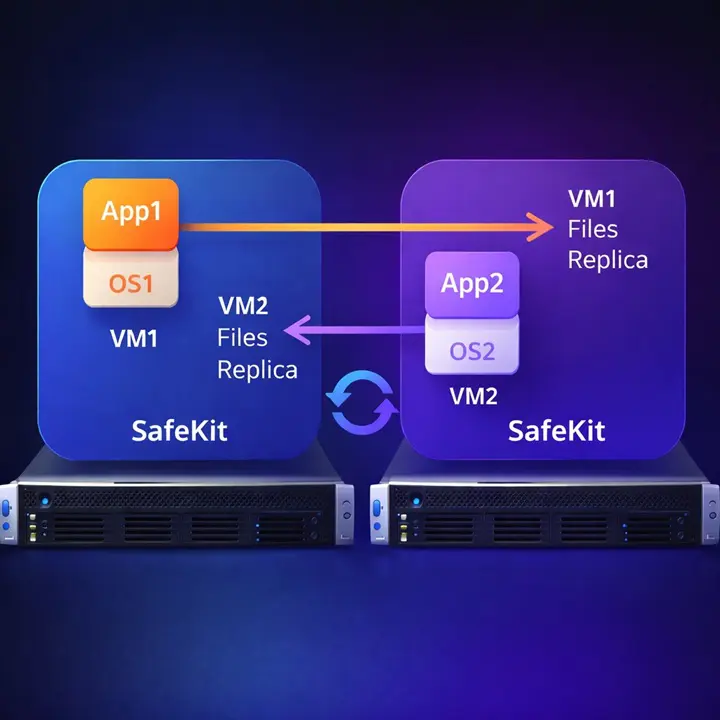
Several applications can be put in several virtual machines replicated and restarted by SafeKit. You have the possibility to migrate each virtual machine between both servers with the SafeKit console and thus balance the load in an active-active cluster.

[SafeKit] A Siemens SIMATIC WinCC cluster without shared storage on a SAN

Save costs with this solution

There is no need for complex VMware-type solution with three servers and shared storage on a SAN or vSAN. With SafeKit, you will have instead synchronous real-time replication and failover of several virtual machines between two servers.

And with the standard Hyper-V manager GUI, you will be able to manage very simply your virtual machines.

Note that you can implement with the SafeKit product real-time replication and failover of any file directory and service, database, complete Hyper-V or KVM virtual machines, Docker, Podman, K3S, Cloud applications (see all solutions).

About products under Siemens LMS licensing

  • To avoid the broken Siemens license on failover, the dongle containing the Siemens key can be put in a USB over IP device (like DIGI AnywhereUSB).
  • The dongle can also be put in an external PC with the LMS license server on the PC (for example the PC which manages the Siemens graphical interface).
  • In recent versions of the Siemens licensing system, the license key can be put in the Trusted Platform Module of the VM (enable before TPM on the VM). Then, the license key will be replicated by SafeKit as well as all VM files.

How the SafeKit Hyper-V cluster works with replication and failover of Siemens SIMATIC WinCC?

The following steps are described for one virtual machine containing Siemens SIMATIC WinCC inside one mirror module. Each replicated virtual machine runs in an independent mirror module (with a maximum of 32 virtual machines) with a primary server that can be either the Hyper-V server 1 or the Hyper-V server 2.

Step 1. Real-time replication

Server 1 (PRIM) runs the VM (virtual machine) containing Siemens SIMATIC WinCC. SafeKit replicates in real time the VM files (virtual hard disk, VM configuration). Only changes made in the files are replicated across the network.

Synchronous replication in a Hyper-V cluster with Siemens SIMATIC WinCC

The replication is synchronous with no data loss on failure contrary to asynchronous replication.

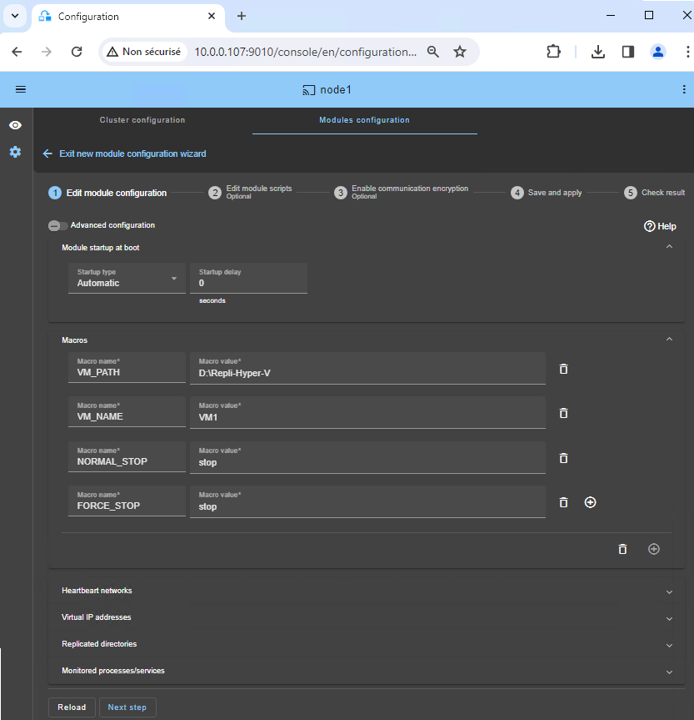
You just have to configure the VM directory name in SafeKit. There are no pre-requisites on disk organization. The directory may be located in the system disk.

Step 2. Automatic failover

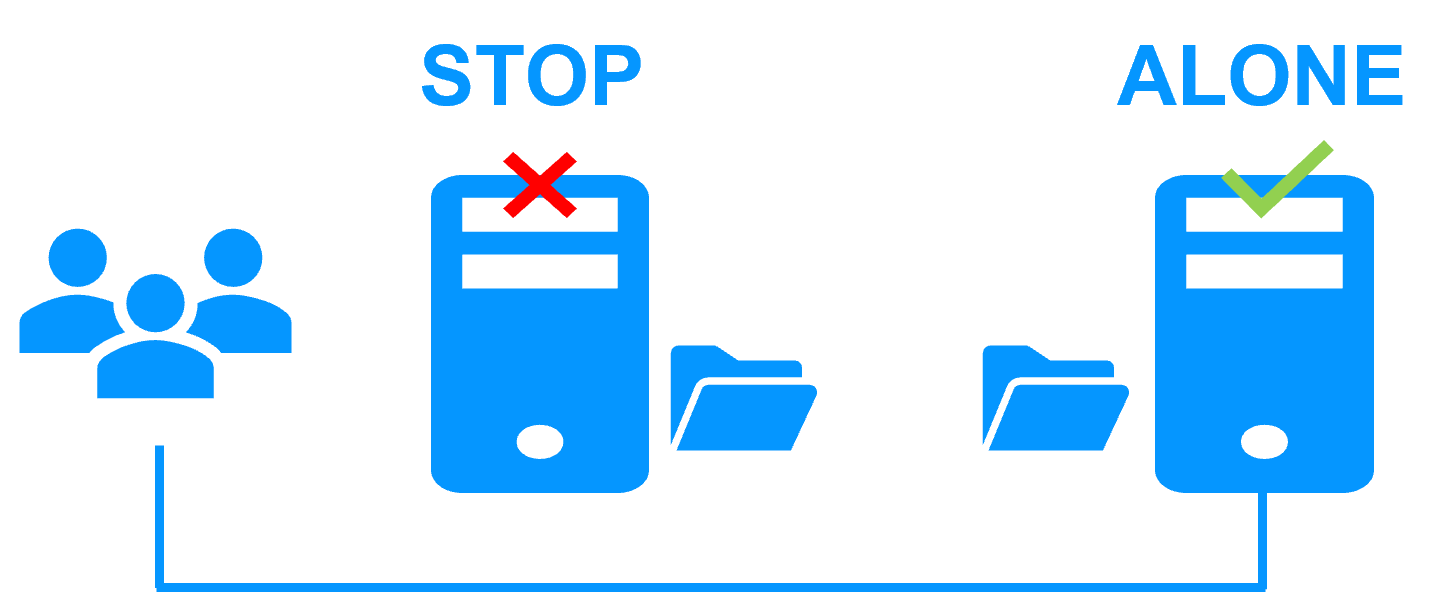
When Server 1 fails, Server 2 takes over. SafeKit restarts the VM containing Siemens SIMATIC WinCC on Server 2. Hyper-V finds the files replicated by SafeKit uptodate on Server 2. 

The VM continues to run on Server 2 by locally modifying its files that are no longer replicated to Server 1.

Failover in a Hyper-V cluster with Siemens SIMATIC WinCC

The failover time is equal to the fault-detection time (set to 30 seconds by default) plus the VM reboot time. 

Step 3. Automatic failback

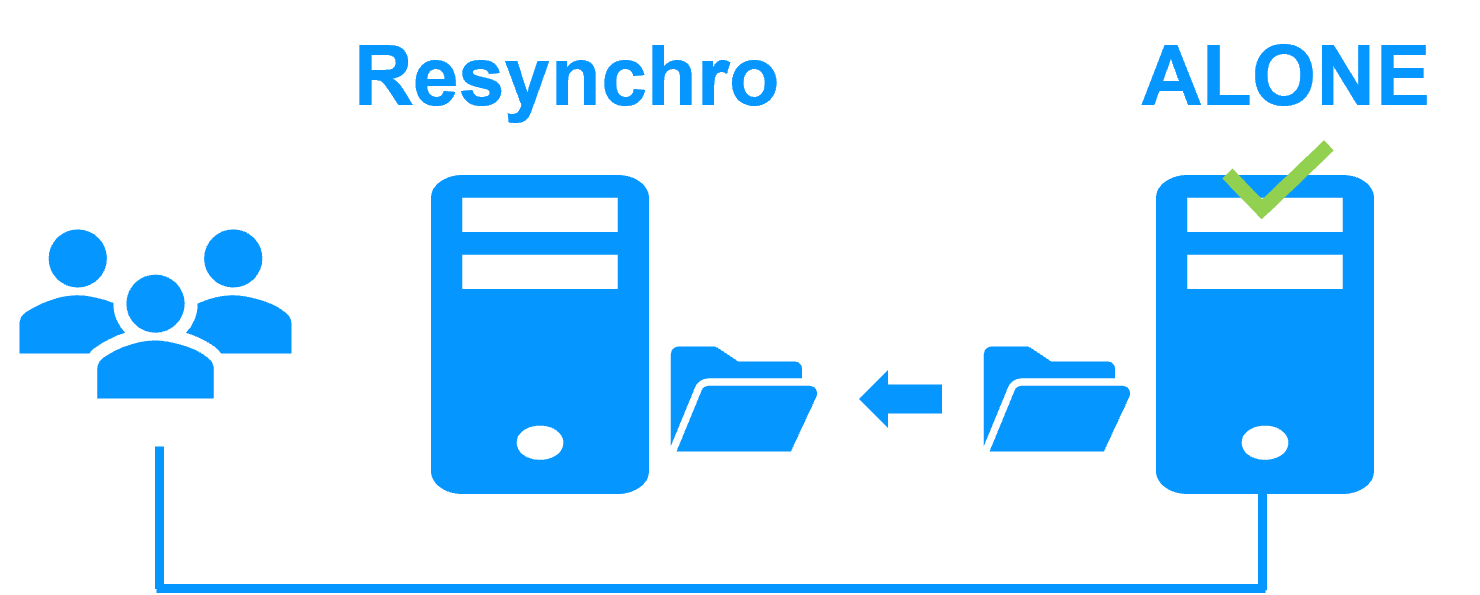
Failback involves restarting Server 1 after fixing the problem that caused it to fail. SafeKit automatically resynchronizes the VM files.

Failback in a Hyper-V cluster with Siemens SIMATIC WinCC

Failback takes place without disturbing the VM containing Siemens SIMATIC WinCC, which can continue running on Server 2.

Step 4. Back to normal

After reintegration, the VM files are once again in mirror mode, as in step 1. The system is back in high-availability mode, with the VM containing Siemens SIMATIC WinCC running on Server 2 and SafeKit replicating file updates to Server 1.

Return to high availability in a Hyper-V cluster with Siemens SIMATIC WinCC

If the administrator wishes the VM to run on Server 1, he/she can execute a "swap" command either manually at an appropriate time, or automatically through configuration.

SafeKit, a recognized solution on the SCADA market

Solution preferred by Siemens

SafeKit with the Siemens Desigo CC SCADA system

SafeKit is available in the Siemens marketplace with its SCADA sofware: Desigo CC (building management), SIMATIC WinCC, SIMATIC PCS 7 and also with the Siveillance suite (video and access control).

SafeKit is deployed by Siemens in Australia, France, the Netherlands, Qatar, Switzerland, the UAE, the UK, the US.

SafeKit chosen by Alstef Group

SafeKit with the Alstef Group SCADA system, BAGware

Alstef Group, a key player in baggage handling systems, deploys SafeKit for redundancy and high availability of its SCADA software suite, BAGware.

SafeKit has been deployed by Alstef Group in many airports with BAGware.

Fives Syleps has chosen SafeKit

SafeKit with the Fives Syleps automated logistics system

Fives Syleps, a key player in automated logistics, deploys SafeKit for redundancy and high availability of its software suite.

SafeKit has been deployed by Fives Syleps in many factories.

🔍 SafeKit High Availability Navigation Hub

Explore SafeKit: Features, technical videos, documentation, and free trial
Resource Type Description Direct Link
Key Features Why Choose SafeKit for Simple and Cost-Effective High Availability? See Why Choose SafeKit for High Availability
Deployment Model All-in-One SANless HA: Shared-Nothing Software Clustering See SafeKit All-in-One SANless HA
Partners SafeKit: The Benchmark in High Availability for Partners See Why SafeKit Is the HA Benchmark for Partners
HA Strategies SafeKit: Infrastructure (VM) vs. Application-Level High Availability See SafeKit HA & Redundancy: VM vs. Application Level
Technical Specifications Technical Limitations for SafeKit Clustering See SafeKit High Availability Limitations
Proof of Concept SafeKit: High Availability Configuration & Failover Demos See SafeKit Failover Tutorials
Architecture How the SafeKit Mirror Cluster works (Real-Time Replication & Failover) See SafeKit Mirror Cluster: Real-Time Replication & Failover
Architecture How the SafeKit Farm Cluster works (Network Load Balancing & Failover) See SafeKit Farm Cluster: Network Load Balancing & Failover
Competitive Advantages Comparison: SafeKit vs. Traditional High Availability (HA) Clusters See SafeKit vs. Traditional HA Cluster Comparison
Technical Resources SafeKit High Availability: Documentation, Downloads & Trial See SafeKit HA Free Trial & Technical Documentation
Pre-configured Solutions SafeKit Application Module Library: Ready-to-Use HA Solutions See SafeKit High Availability Application Modules
FAQ Frequently Asked Questions on Architecture, Technical specs, Features See SafeKit HA FAQ