eviden-logo

Evidian > Products > SafeKit: All-in-One SANless High Availability & Application Clustering Software > SAN vs NAS shared storage for a failover cluster

SAN vs NAS shared storage for a failover cluster

Evidian SafeKit

What is the simplest solution between a SAN vs a NAS shared storage for a failover cluster?

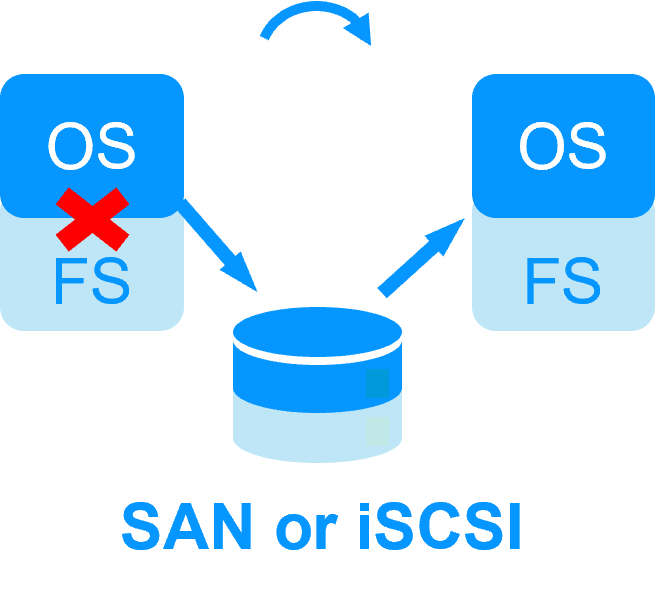
SAN shared storage or NAS iSCSI shared storage for a failover cluster

SAN shared storage or NAS iSCSI shared storage for a failover cluster

There are several elements that make this architecture complex to implement:

  • on failover, switching the shared storage requires low level instructions which are storage manufacturer dependent,
  • recovery procedure on the file system (FS) must be passed before restarting the application,
  • if both file systems on both nodes access the same raw disk at the same time, the full file system will be corrupted,
  • to avoid a double access, a quorum disk must be configured.

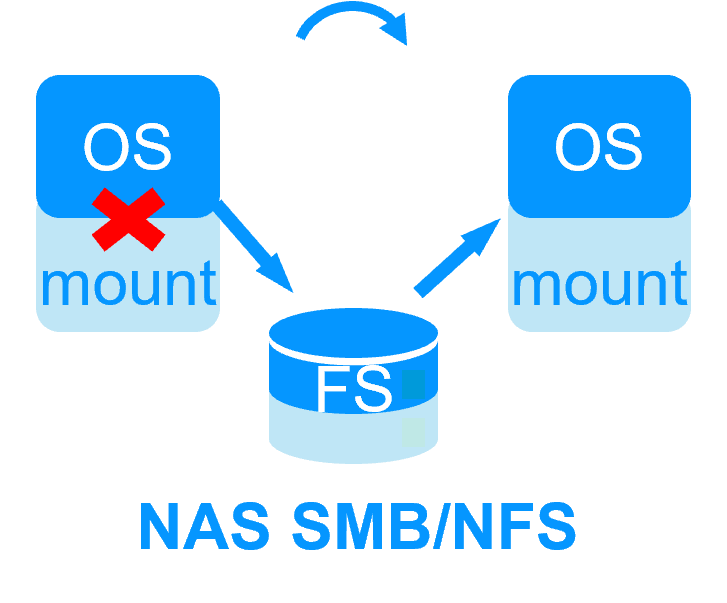
NAS SMB shared storage or NAS NFS shared storage for a failover cluster

NAS SMB shared storage or NAS NFS shared storage for a failover cluster

    There are several elements that make this architecture simple to implement:

  • on failover, switching the shared storage means only remounting the external file system,
  • no recovery procedure on the file system must be passed before restarting the application,
  • if both nodes access the same shared file system at the same time, the full file system will be not be corrupted,
  • however, there is still the possibility of a double execution of the same application corrupting its data in the shared storage when nodes are isolated.

Real-time replication and failover with Evidian SafeKit

Real-time replication and failover with Evidian SafeKit

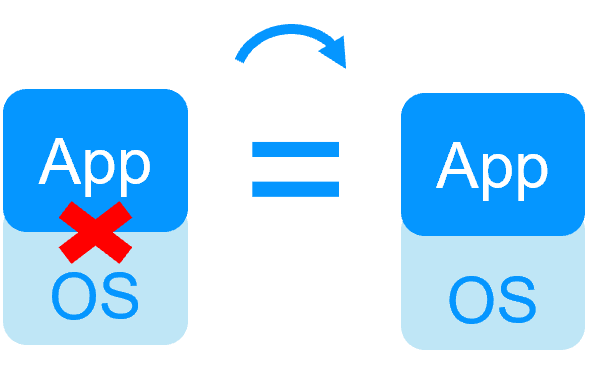
There are no such issues with SafeKit because its replication and failover solution does not require a shared storage.

However, if SafeKit must manage a shared storage:

  • use a NAS SMB shared storage or a NAS NFS shared storage,
  • put in the restart scripts the mount/umount of the external file system,
  • configure the SafeKit split brain checker to avoid a double execution of the same application accessing the shared storage when nodes are isolated.

๐Ÿ” SafeKit High Availability Navigation Hub

Explore SafeKit: Features, technical videos, documentation, and free trial
Resource Type Description Direct Link
Key Features Why Choose SafeKit for Simple and Cost-Effective High Availability? See Why Choose SafeKit for High Availability
Deployment Model All-in-One SANless HA: Shared-Nothing Software Clustering See SafeKit All-in-One SANless HA
Partners SafeKit: The Benchmark in High Availability for Partners See Why SafeKit Is the HA Benchmark for Partners
HA Strategies SafeKit: Infrastructure (VM) vs. Application-Level High Availability See SafeKit HA & Redundancy: VM vs. Application Level
Technical Specifications Technical Limitations for SafeKit Clustering See SafeKit High Availability Limitations
Proof of Concept SafeKit: High Availability Configuration & Failover Demos See SafeKit Failover Tutorials
Architecture How the SafeKit Mirror Cluster works (Real-Time Replication & Failover) See SafeKit Mirror Cluster: Real-Time Replication & Failover
Architecture How the SafeKit Farm Cluster works (Network Load Balancing & Failover) See SafeKit Farm Cluster: Network Load Balancing & Failover
Competitive Advantages Comparison: SafeKit vs. Traditional High Availability (HA) Clusters See SafeKit vs. Traditional HA Cluster Comparison
Technical Resources SafeKit High Availability: Documentation, Downloads & Trial See SafeKit HA Free Trial & Technical Documentation
Pre-configured Solutions SafeKit Application Module Library: Ready-to-Use HA Solutions See SafeKit High Availability Application Modules
FAQ Frequently Asked Questions on Architecture, Technical specs, Features See SafeKit HA FAQ