
eviden-logo

Evidian > Products > SafeKit: All-in-One SANless High Availability & Application Clustering Software > High Availability Architectures Overview

High Availability Architectures Overview

Evidian SafeKit

What are the different high availability architectures and the different software clusters with SafeKit?

Mirror cluster

SafeKit mirror cluster

More information

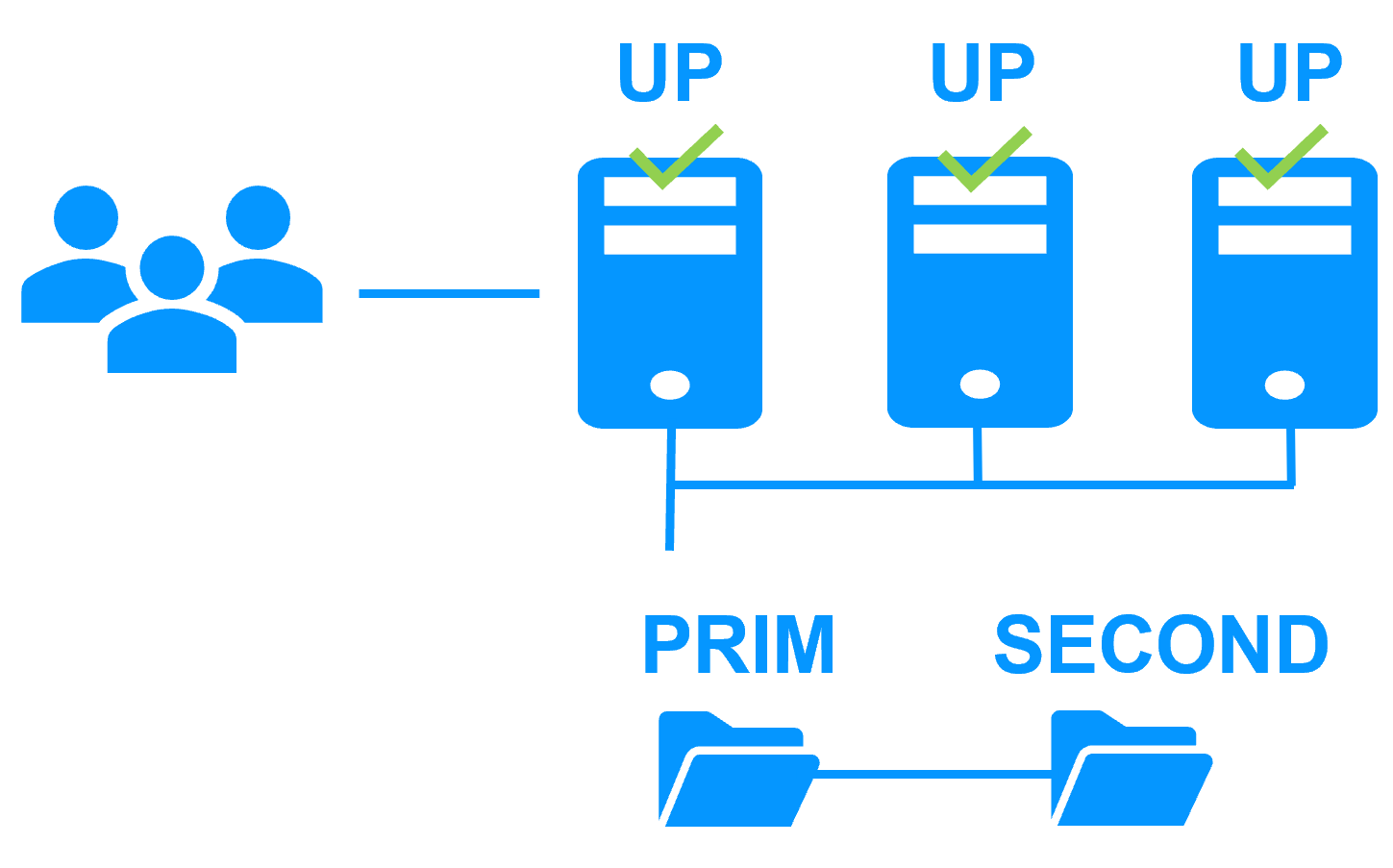
Farm cluster

SafeKit farm cluster

More information

Farm+mirror cluster

SafeKit farm + mirror cluster

More information

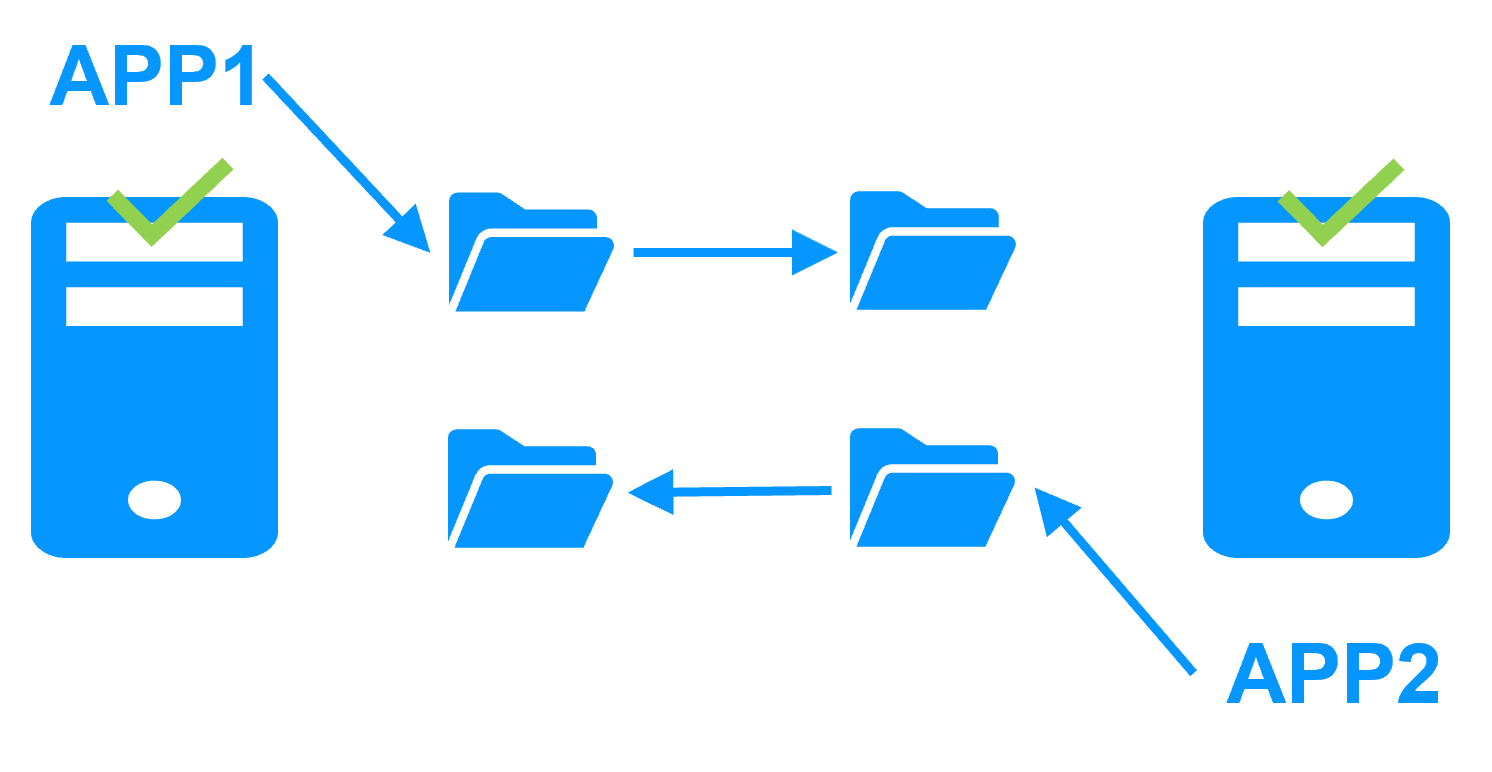
Active/active cluster

SafeKit active active cluster with real-time replication

More information

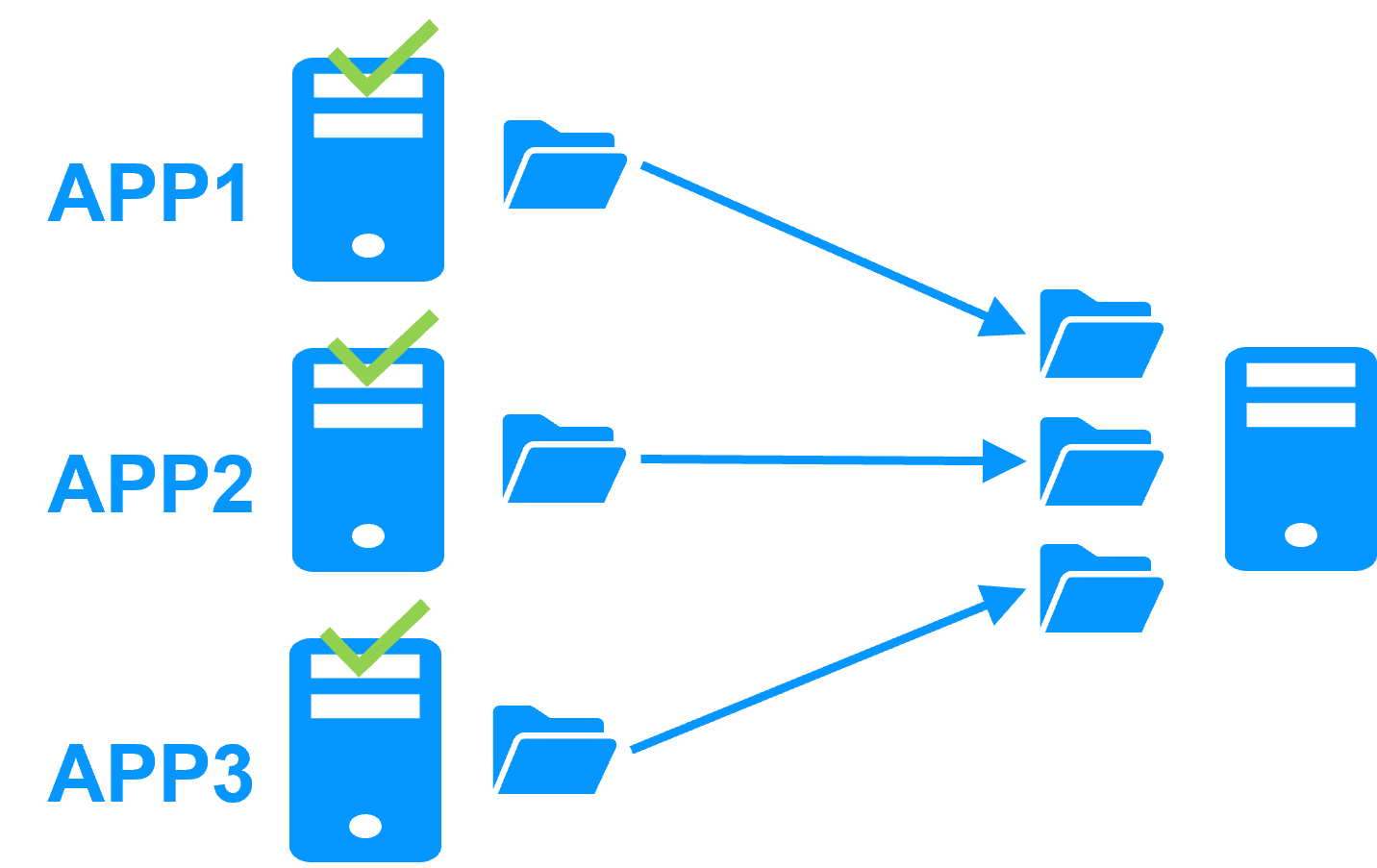
N-1 cluster

SafeKit N-1 redundancy cluster

More information

How to build high availability clusters with SafeKit?

Use high availability modules

A high availability module is a customization of SafeKit for an application. There are two types of modules: the mirror module with real-time data replication and failover and the farm module with load balancing and failover.

If you deploy a mirror module on 2 servers, then you create a mirror cluster and if you deploy a farm module on N servers, then you create a farm cluster.

Several application modules can be deployed on the same servers. Thus, advanced clustering architectures can be implemented like those presented previously (farm+mirror, active/active, N-1).

What is a module?

In practice, an application module is a “.Safe” file (zip type) including:

1 - the configuration file userconfig.xml which contains:

  • names or physical IP addresses of the servers,
  • name or virtual IP address of the cluster,
  • file directories to replicate in real time (for a mirror module),
  • network load balancing criteria (for a farm module),
  • configuration of software and hardware failures detectors

2 - the scripts to start and stop the application.

Plug and play deployment of high availability modules

Once an application module is configured and tested with an application, deployment requires no specific IT skills:

  1. install application on 2 standard servers (physical or virtual),
  2. install the SafeKit software on both servers,
  3. install the application module on both servers.

🔍 SafeKit High Availability Navigation Hub

Explore SafeKit: Features, technical videos, documentation, and free trial
Resource Type Description Direct Link
Key Features Why Choose SafeKit for Simple and Cost-Effective High Availability? See Why Choose SafeKit for High Availability
Deployment Model All-in-One SANless HA: Shared-Nothing Software Clustering See SafeKit All-in-One SANless HA
Partners SafeKit: The Benchmark in High Availability for Partners See Why SafeKit Is the HA Benchmark for Partners
HA Strategies SafeKit: Infrastructure (VM) vs. Application-Level High Availability See SafeKit HA & Redundancy: VM vs. Application Level
Technical Specifications Technical Limitations for SafeKit Clustering See SafeKit High Availability Limitations
Proof of Concept SafeKit: High Availability Configuration & Failover Demos See SafeKit Failover Tutorials
Architecture How the SafeKit Mirror Cluster works (Real-Time Replication & Failover) See SafeKit Mirror Cluster: Real-Time Replication & Failover
Architecture How the SafeKit Farm Cluster works (Network Load Balancing & Failover) See SafeKit Farm Cluster: Network Load Balancing & Failover
Competitive Advantages Comparison: SafeKit vs. Traditional High Availability (HA) Clusters See SafeKit vs. Traditional HA Cluster Comparison
Technical Resources SafeKit High Availability: Documentation, Downloads & Trial See SafeKit HA Free Trial & Technical Documentation
Pre-configured Solutions SafeKit Application Module Library: Ready-to-Use HA Solutions See SafeKit High Availability Application Modules