eviden-logo

Evidian > Products > SafeKit: Simple, Cost-Effective High Availability Software > Apache: The Simplest Load Balancing Cluster with Failover

Apache: The Simplest Load Balancing Cluster with Failover

Evidian SafeKit

How the Evidian SafeKit software simply implements Apache load balancing and failover?

The solution for Apache

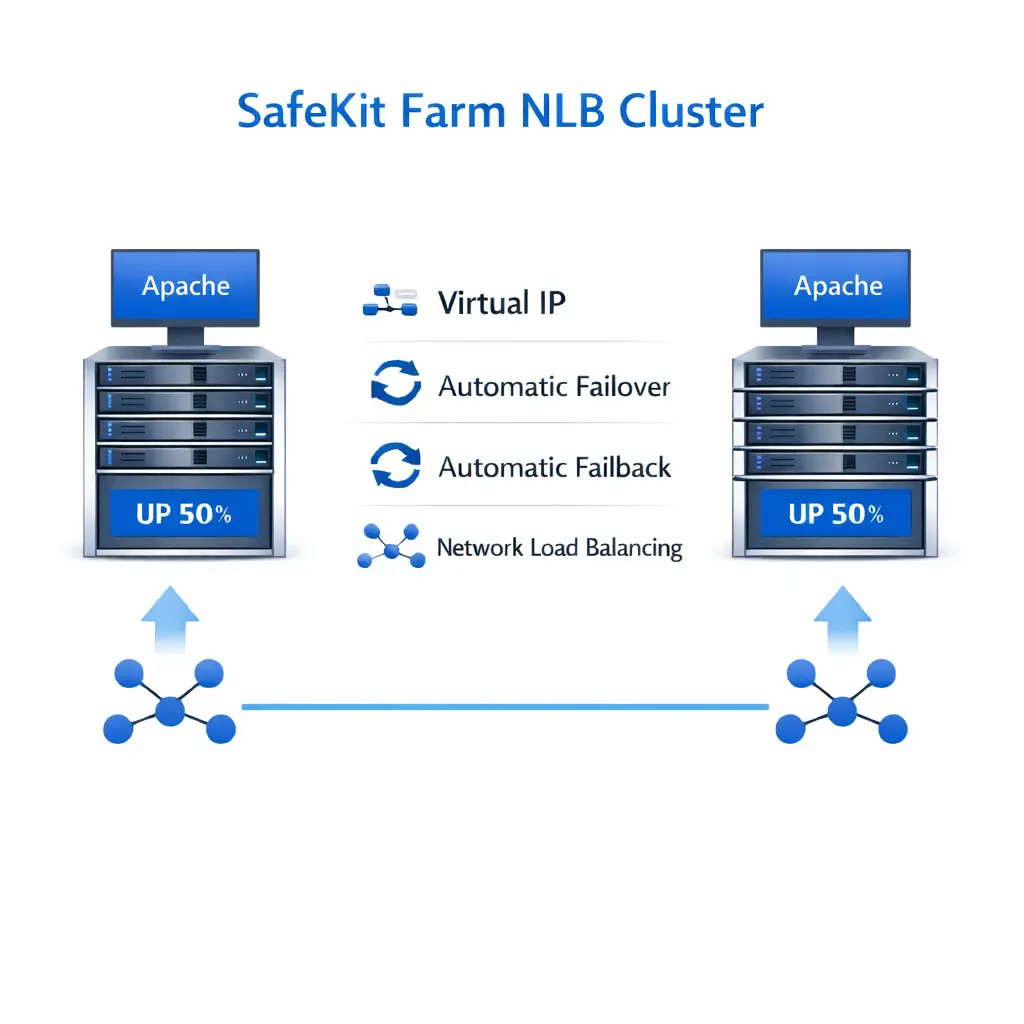
Evidian SafeKit brings load balancing and failover to Apache.

This article explains how to implement quickly a Apache cluster without network load balancers, dedicated proxy servers or special MAC addresses. SafeKit is installed directly on the Apache servers.

A generic product

Note that SafeKit is a generic product on Windows and Linux.

You can implement with the SafeKit product real-time replication and failover of any file directory and service, database, complete Hyper-V or KVM virtual machines, Docker, Podman, K3S, Cloud applications (see all solutions).

A complete solution

SafeKit solves:

  • hardware failures (20% of problems), including the complete failure of a computer room,
  • software failures (40% of problems), including restart of critical processes,
  • and human errors (40% of problems) thanks to its ease of use and its web console.

How the SafeKit farm cluster works with Apache?

Virtual IP address in a farm cluster

How the Evidian SafeKit farm cluster implements Apache network load balancing and failover

On the previous figure, the Apache application is running on the 3 servers (3 is an example, it can be 2 or more). Users are connected to a virtual IP address.
The virtual IP address is configured locally on each server in the farm cluster.
The input traffic to the virtual IP address is received by all the servers and split among them by a network filter inside each server's kernel.
SafeKit detects hardware and software failures, reconfigures network filters in the event of a failure, and offers configurable application checkers and recovery scripts.

Load balancing in a network filter

The network load balancing algorithm inside the network filter is based on the identity of the client packets (client IP address, client TCP port). Depending on the identity of the client packet input, only one filter in a server accepts the packet; the other filters in other servers reject it.
Once a packet is accepted by the filter on a server, only the CPU and memory of this server are used by the Apache application that responds to the request of the client. The output messages are sent directly from the application server to the client.
If a server fails, the farm heartbeat protocol reconfigures the filters in the network load balancing cluster to re-balance the traffic on the remaining available servers.

Stateful or stateless applications

With a stateful Apache application, there is session affinity. The same client must be connected to the same server on multiple TCP sessions to retrieve its context on the server. In this case, the SafeKit load balancing rule is configured on the client IP address. Thus, the same client is always connected to the same server on multiple TCP sessions. And different clients are distributed across different servers in the farm.
With a stateless Apache application, there is no session affinity. The same client can be connected to different servers in the farm on multiple TCP sessions. There is no context stored locally on a server from one session to another. In this case, the SafeKit load balancing rule is configured on the TCP client session identity. This configuration is the one which is the best for distributing sessions between servers, but it requires a TCP service without session affinity.

๐Ÿ” SafeKit High Availability Navigation Hub

Explore SafeKit: Features, technical videos, documentation, and free trial
Resource Type Description Direct Link
Features Why Choose SafeKit for Simple and Cost-Effective High Availability? View Features
Partners SafeKit: The Benchmark in High Availability for Partners SafeKit for Partners
VM vs App HA SafeKit: High Availability (HA) and Redundancy Choices VM/App Choice
Typical Usage Typical usage with SafeKit and Limitations Usage and Limitations
Videos SafeKit: Technical Demonstrations and Tutorials Watch Videos
Mirror Cluster How the SafeKit mirror cluster works (real-time file replication and failover)? Mirror Cluster
Farm Cluster How the SafeKit farm cluster works (network load balancing and failover)? Farm Cluster
Differentiators Comparison of SafeKit with Traditional High Availability (HA) Clusters View Benefits
Resources SafeKit High Availability Resources, Downloads, and Documentation Access Resources
Application Modules SafeKit Application Module Library: Ready-to-Use Solutions Browse Modules